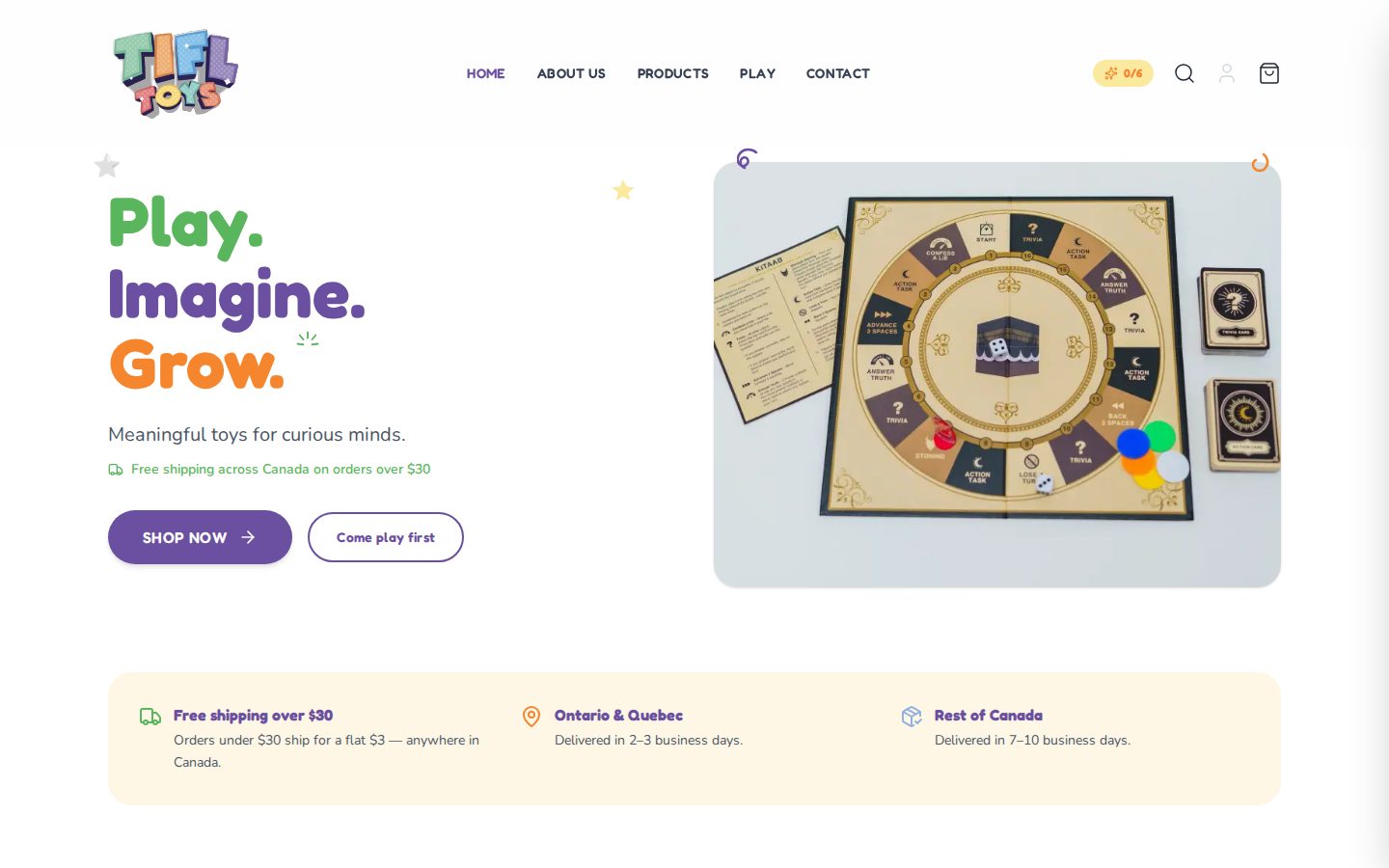
The custom storefront for Tifl Toys, which sells Islamic educational toys, games and crafts to Muslim families in Canada.
It's a headless Shopify store. This Next.js app renders the catalogue, collections and cart through the Shopify Storefront API, and payment happens on Shopify-hosted checkout. The Shopify theme/Liquid storefront isn't used. Product, collection and homepage content edited in the Shopify admin appears on the site without a code change.
Features
- Catalogue: product listing with search (
/products?q=) and sort (?sort=featured|newest|price-asc|price-desc), collection pages, and product pages with variant selection and a gallery. - Shopify cart: the Shopify cart is the source of truth. It's created and updated through Server Actions, identified by an httpOnly cookie, and shown in a slide-out drawer and on
/cart. The Checkout button goes to Shopify's hostedcheckoutUrl. - Stock awareness: Sold-out badges and disabled add-to-cart come from
availableForSale. "Only N left" messages and quantity caps come fromquantityAvailable(see Inventory scope). - Shipping nudges: a $3 flat rate, free over $30, with a "you're $X away from free shipping" note in the cart.
/playexperiences: a colouring studio for the real prayer mat designs (with add-to-cart for the matching variant), a scroll-through Hajj journey, and a hidden-sticker hunt across the site that saves progress inlocalStorage.- Forms: contact and newsletter forms are Server Actions with validation and a honeypot. They're delivered by email through Web3Forms or Resend.
- SEO:
sitemap.xml,robots.txt, Open Graph/Twitter metadata, canonical URLs, JSON-LDProductdata on product pages, and a web manifest. - Resilience: custom 404, error boundaries, and route-level loading states. Homepage sections fail soft, so a missing Shopify resource hides its section without breaking the page.
Tech stack
- Next.js 16 (App Router, Server Components, Server Actions)
- React 19 and TypeScript
- Tailwind CSS v4, configured in CSS via
@themeinsrc/app/globals.css - Motion for animation,
canvas-confettifor celebrations, andlucide-reactfor icons - Shopify Storefront API (GraphQL, version
2026-04) - Hosted on Vercel
Note
Next.js 16 has breaking changes compared with earlier versions. Before changing framework-level code, check the bundled docs in node_modules/next/dist/docs/.
Getting started
Prerequisites
- Node.js 20.9 or newer
- A Shopify store with a Storefront API access token (Shopify admin → Settings → Apps → Develop apps → Storefront API)
Setup
git clone https://github.com/huchu19/TiflToysFrontend.git
cd TiflToysFrontend
npm install
cp .env.example .env.local   # then fill in the values
npm run dev
Open http://localhost:3000.
Environment variables
Set these in .env.local for local development and in the Vercel project settings for production. The Shopify variables are server-only. Don't add a NEXT_PUBLIC_ prefix, or the token will be sent to the browser.
| Variable | Required | Purpose |
|---|---|---|
SHOPIFY_STORE_DOMAIN |
Yes | The store's *.myshopify.com domain (not the custom domain). |
SHOPIFY_STOREFRONT_TOKEN |
Yes | Storefront API access token. |
NEXT_PUBLIC_SITE_URL |
No | Canonical site URL for metadata, sitemap and robots. Defaults to https://tifltoys.com. |
WEB3FORMS_ACCESS_KEY |
No | Delivers contact and newsletter submissions by email through Web3Forms. |
RESEND_API_KEY, CONTACT_TO_EMAIL, CONTACT_FROM_EMAIL |
No | Sends through Resend instead. Used only when WEB3FORMS_ACCESS_KEY is empty and all three are set. |
If a required Shopify variable is missing, the app throws a clear error naming it. If no email provider is configured, form submissions are logged on the server and the form still shows success, so local development works without email set up.
Scripts
| Command | Description |
|---|---|
npm run dev |
Start the development server. |
npm run build |
Build for production. This also runs the TypeScript check. |
npm run start |
Serve the production build. |
npm run lint |
Run ESLint. |
Before pushing, make sure npm run build && npm run lint finishes cleanly.
Project structure
src/
├── app/                  Routes (App Router)
│   ├── page.tsx          Homepage
│   ├── products/         Catalogue, search/sort, and /products/[handle] detail pages
│   ├── collections/      Collection index and /collections/[handle]
│   ├── cart/             Full cart page
│   ├── play/             Colouring studio, Hajj journey, sticker hunt
│   ├── contact/          Contact form and its Server Action
│   ├── about/, sectors/, privacy/, terms/, refunds/
│   ├── sitemap.ts, robots.ts, manifest.ts
│   └── not-found.tsx, error.tsx, global-error.tsx
├── components/
│   ├── cart/             Cart drawer, cart view, cart Server Actions
│   ├── layout/           Navbar, footer, page headers, legal page shell
│   ├── sections/         Homepage sections and the product card
│   ├── play/             Interactive /play components and mat line art
│   ├── motion/           Reveal, stagger, float and page-transition wrappers
│   └── ui/               Doodles, placeholders and other small primitives
├── context/              CartContext (optimistic cart), StickerContext
└── lib/
    ├── shopify.ts        shopifyFetch plus catalogue, collection and content queries
    ├── shopify/cart.ts   Cart queries and mutations
    ├── homepage.ts       Which Shopify handles feed each homepage section
    ├── play.ts           Which Shopify products power /play
    └── site.ts           Site URL, name, and shipping rules
How Shopify content maps to the site
Most content is managed in the Shopify admin. The code only stores the handle or metafield key that each part of the site reads.
| On the site | Managed in Shopify | Configured in |
|---|---|---|
| Products, prices, variants, stock | Products | — |
| Collections | Collections | — |
| Homepage featured products | The featured-collection collection |
src/lib/homepage.ts |
| Homepage hero image | Shop metafield homepage.hero_image (file). Falls back to the hero product's image. |
src/lib/homepage.ts |
| Homepage DIY highlight | The DIY Sadaqah Box product | src/lib/homepage.ts |
| Testimonials | testimonial metaobjects, listed in the Shop metafield homepage.testimonials. The list order is the display order. |
src/lib/shopify.ts |
| Colouring studio mats | The prayer mat product. Variant titles must match MAT_DESIGNS. |
src/lib/play.ts |
To point a section at a different product or collection, change its handle in the file listed in the last column.
Shipping rates are shown on the site from src/lib/site.ts, but Shopify's shipping zones decide what's charged at checkout. If you change a rate, update both places.
Inventory scope
quantityAvailable requires the unauthenticated_read_product_inventory Storefront API scope. If the token doesn't have it, the app detects that and retries without the field. Sold-out states still work, but "only N left" messages and quantity caps are hidden. Grant the scope in the Shopify admin to turn them on; no code change is needed.
Conventions
- Components are Server Components by default. Add
'use client'only for interactive UI, and send cart mutations through Server Actions. - Reuse the helpers in
src/lib/shopify.ts(shopifyFetch,PRODUCT_CARD_FRAGMENT,mapProductNode,formatPrice) rather than writing new queries from scratch. - Format money with
formatPrice. The store is CAD only, so don't hardcode currency symbols elsewhere. - Derive the cart item count from the fetched cart's
totalQuantity, not from local state. - Use the brand tokens from
globals.css: thebrand-purple,brand-orange,brand-greenandbrand-bluecolours, the softbg-*section backgrounds,font-fredokafor headings andfont-nunitofor body text.
Deployment
The site is deployed on Vercel, connected to this GitHub repository. Pushing to main deploys to production at tifltoys.com; there's no manual deploy step. Production environment variables are set in the Vercel project settings.
Checkout runs on Shopify at checkout.tifltoys.com. That domain's Shopify theme is intentionally a redirect back to tifltoys.com, so only the checkout pages are served there. The redirect is maintained in the Shopify admin, not in this repo.
Further reading
MILESTONES.md: the launch checklist, current status, and post-launch backlog.CLAUDE.md: detailed architecture and conventions notes.