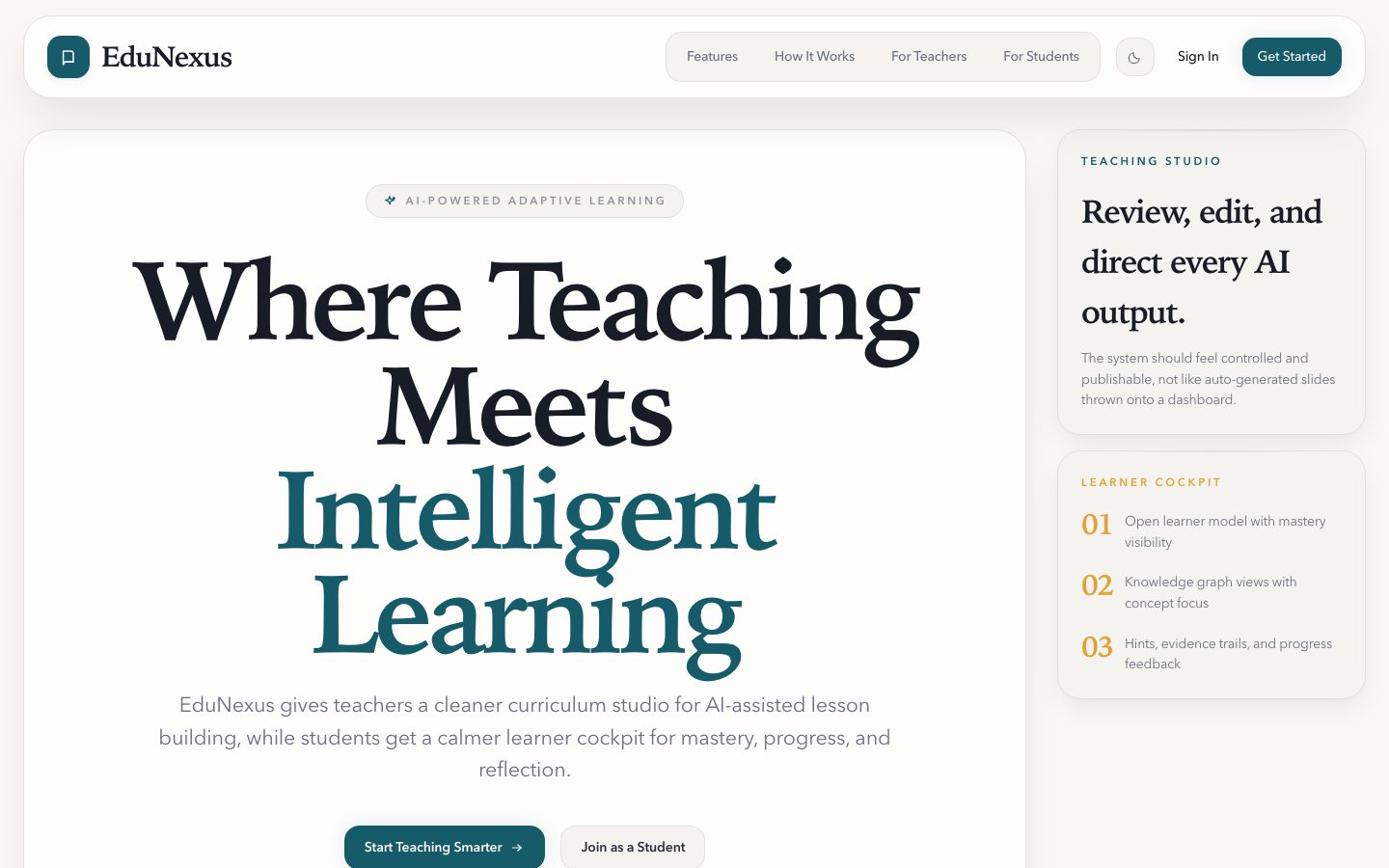
An AI-powered adaptive learning platform. Teachers generate lessons and quizzes from natural language prompts; students take adaptive assessments, earn XP and badges, and explore their knowledge through an interactive concept graph and open learner model.
Final Year Project — Hussain Naqvi, Queen Mary University of London (EECS)
Screenshots
| Landing page | Teacher dashboard |
 |
 |
| Student dashboard with XP, badges, and enrolled classrooms | Knowledge map — concept mastery graph with blind-spot detection |
 |
 |
| Metacognitive quiz — explain-reasoning, error-analysis, and transfer question types | Teach Mode — student explains a concept to an AI "confused learner" |
 |
 |
Project Overview
EduNexus addresses the fragmentation problem in digital education. Teachers today rely on disconnected tools — a CMS for content, a separate quiz tool, a spreadsheet for grades — with no data flowing between them. Students receive one-size-fits-all content with no feedback on how they actually understand material.
EduNexus integrates these workflows into a single platform:
| Feature | Description |
|---|---|
| AI Content Generation | Teachers enter a prompt; Gemini 2.5 Flash generates lesson slides, flashcards, or PDF-style reports and quiz questions |
| Adaptive Quizzes | Difficulty adjusts per-student based on recent performance; metacognitive question types capture reasoning, not just answers |
| Knowledge Graph | AI extracts concepts and prerequisites from lessons; an interactive force-directed graph shows per-student mastery and flags blind spots |
| Gamification | XP, streak tracking, 9 badge types, and classroom leaderboards |
| Open Learner Model | Student dashboard with score trends, topic mastery, confidence calibration, and post-quiz reflections |
| Teacher Analytics | Per-student process data (confidence, reasoning, time-on-task) and class-aggregate summaries |
| Accessibility | Dark/light theme, i18n stubs (EN + FR), browser-native text-to-speech, semantic HTML, skip links |
Tech Stack
| Layer | Technology |
|---|---|
| Frontend | Next.js 16 (App Router), React 19, Tailwind CSS 4 |
| Backend | FastAPI, SQLAlchemy (ORM), Pydantic (schemas) |
| Database | PostgreSQL, Alembic (migrations) |
| AI | Google Gemini 2.5 Flash (primary), OpenAI GPT-4o-mini (fallback) |
| Auth | JWT (HS256), HTTP-only cookie or Authorization header |
| Testing | pytest (backend), Playwright (frontend E2E) |
| Runtime | Python 3.9, Node.js 18+ |
Monorepo Structure
/backend    FastAPI application — routers, services, repositories, ORM models, Alembic migrations
/frontend   Next.js application — App Router, teacher and student dashboards, UI components
/docs       Project documentation — requirements, system architecture, API smoke test
Prerequisites
- Python 3.9+ with a local virtual environment created by the user
- Node.js 18+ and npm
- PostgreSQL 14+ running locally on port
5432 - A Gemini API key (free tier) — get one at https://aistudio.google.com/apikey
- Optionally an OpenAI API key as a fallback for AI generation
Environment Variables
Backend — backend/.env
Copy the example file and fill in the values:
cp backend/.env.example backend/.env| Variable | Required | Description |
|---|---|---|
DATABASE_URL |
Yes | PostgreSQL connection string |
APP_SECRET_KEY |
Yes | Secret used to sign JWT tokens — use a long random string in production |
GEMINI_API_KEY |
Yes* | Google Gemini key for AI generation (*or provide OPENAI_API_KEY) |
OPENAI_API_KEY |
No | OpenAI key — used as fallback if Gemini is unavailable |
APP_ENV |
No | dev (default) or production |
CORS_ALLOW_ORIGINS |
No | Defaults to http://localhost:3000 |
TEST_DATABASE_URL |
No | Separate DB for running the test suite (defaults to edunexus_test) |
Example backend/.env:
DATABASE_URL=postgresql+psycopg2://postgres:postgres@localhost:5432/edunexus
APP_ENV=dev
APP_SECRET_KEY=change_this_to_a_long_random_string
GEMINI_API_KEY=your_gemini_key_here
OPENAI_API_KEY=your_openai_api_key_here
CORS_ALLOW_ORIGINS=http://localhost:3000
TEST_DATABASE_URL=postgresql+psycopg2://postgres:postgres@localhost:5432/edunexus_test
Frontend — frontend/.env.local
NEXT_PUBLIC_API_BASE_URL=http://localhost:8000Database Setup
The backend uses PostgreSQL with Alembic for schema management.
1. Create the database
psql -U postgres -c "CREATE DATABASE edunexus;"For the test database (needed to run backend tests):
psql -U postgres -c "CREATE DATABASE edunexus_test;"2. Apply migrations
From the repo root:
cd backend
../.venv/bin/alembic upgrade head
Verify the schema is aligned:
../.venv/bin/alembic check
# Expected output: No new upgrade operations detected.
3. Verify database health
../.venv/bin/python scripts/db_health_check.pyThis checks connectivity, migration alignment, table presence, FK integrity, and runs a write-path smoke test in a rolled-back transaction.
Running the Backend
From the repo root:
cd backend
../.venv/bin/python -m uvicorn app.main:app --reload --port 8000
Or from the repo root using the shim:
.venv/bin/python -m uvicorn main:app --reload --port 8000The API will be available at http://localhost:8000.
Interactive API docs (auto-generated by FastAPI):
- Swagger UI:
http://localhost:8000/docs - ReDoc:
http://localhost:8000/redoc
Running the Frontend
cd frontend
npm install
npm run dev
The frontend will be available at http://localhost:3000.
Running Tests
Backend (pytest)
cd backend
../.venv/bin/pytest tests/
The test suite covers auth, classroom management, lesson and quiz CRUD, and gamification. Tests run against the edunexus_test database (set TEST_DATABASE_URL in backend/.env).
Frontend E2E (Playwright)
cd frontend
npm run test:e2e          # headless
npm run test:e2e:headed   # visible browser
npm run test:e2e:ui       # interactive Playwright UI
Playwright tests cover auth flows, teacher dashboard, student dashboard, and lesson and quiz journeys. The backend must be running on port 8000 before starting E2E tests.
Demo Login Credentials
Register accounts through the frontend at /register, or use the /auth/register endpoint directly.
Alternatively, run the seed script to create a fully populated demo classroom — three published lessons, five linked concepts, a quiz, and per-student progress history:
cd backend
../.venv/bin/python scripts/seed.py| Role | Password | |
|---|---|---|
| Teacher | teacher@edunexus.demo |
Demo1234! |
| Student | priya@edunexus.demo |
Demo1234! |
| Student | tom@edunexus.demo |
Demo1234! |
| Student | sofia@edunexus.demo |
Demo1234! |
The seeded classroom joins with code BIO101. Seeding makes no AI calls
and is safe to re-run.
Deployment
The project deploys to free hosting tiers: frontend on Vercel, backend on
Render, PostgreSQL on Neon, and uploaded files on Cloudflare R2.
render.yaml at the repo root configures the backend service.
See docs/DEPLOYMENT.md for the full runbook, including environment variables, the CORS setup, and an end-to-end verification checklist.
Known Limitations
- Peer Teaching Simulator — service layer and routes are scaffolded; the full AI teach-back conversation loop and assessment scoring are not yet implemented.
- Formative Assessment — prerequisite diagnostic checks, pulse checks, and adaptive concept inventories are specified in the requirements but not built.
- Adaptive difficulty — the current algorithm uses a simple threshold rule (easier after consecutive failures); a full Item Response Theory model was not implemented within the project timeline.
- Teacher authoring controls — iterative section-level editing of AI-generated lessons (add/rewrite/remove individual sections) is partially implemented; the UI refinement loop is not complete.
- Internationalisation — language-switching UI is present; only English strings are fully populated. French strings are stubs.
- AI analytics — event ingestion is implemented; automated AI-driven insight summaries over analytics data are scaffolded but not deeply built.
- Scale — the deployment targets free hosting tiers and runs a single worker. Rate limiting is in-process, so it would need a shared store before scaling out. See docs/DEPLOYMENT.md.